
MoneyFormula
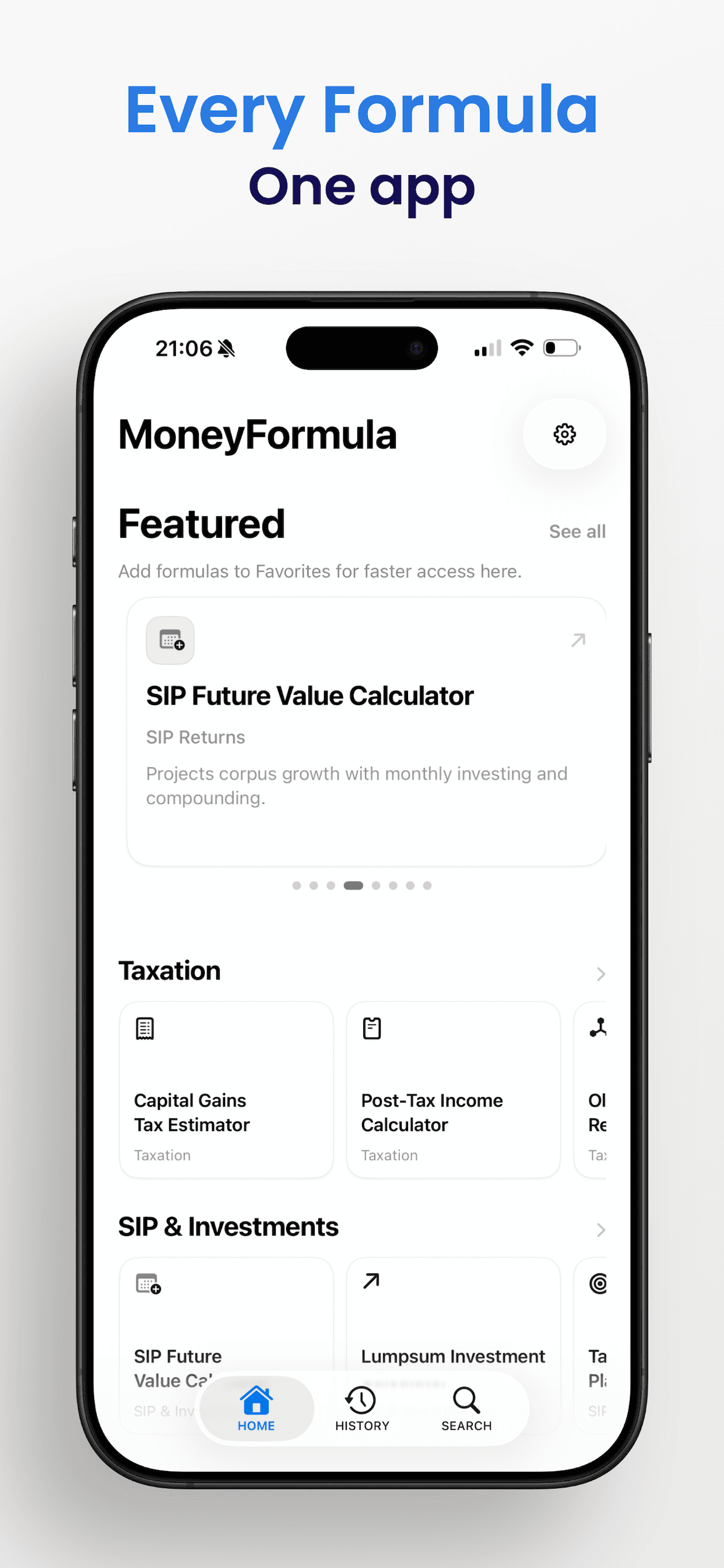
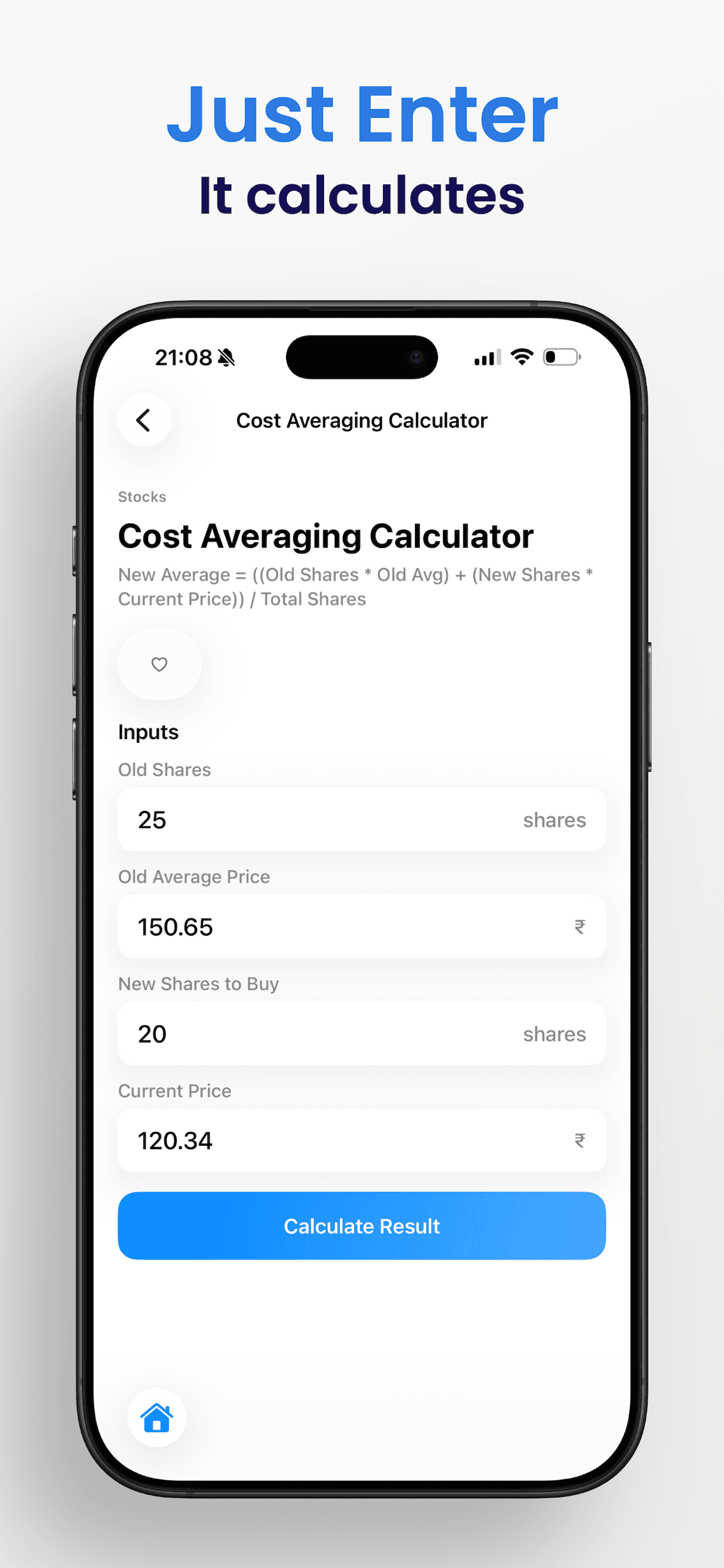
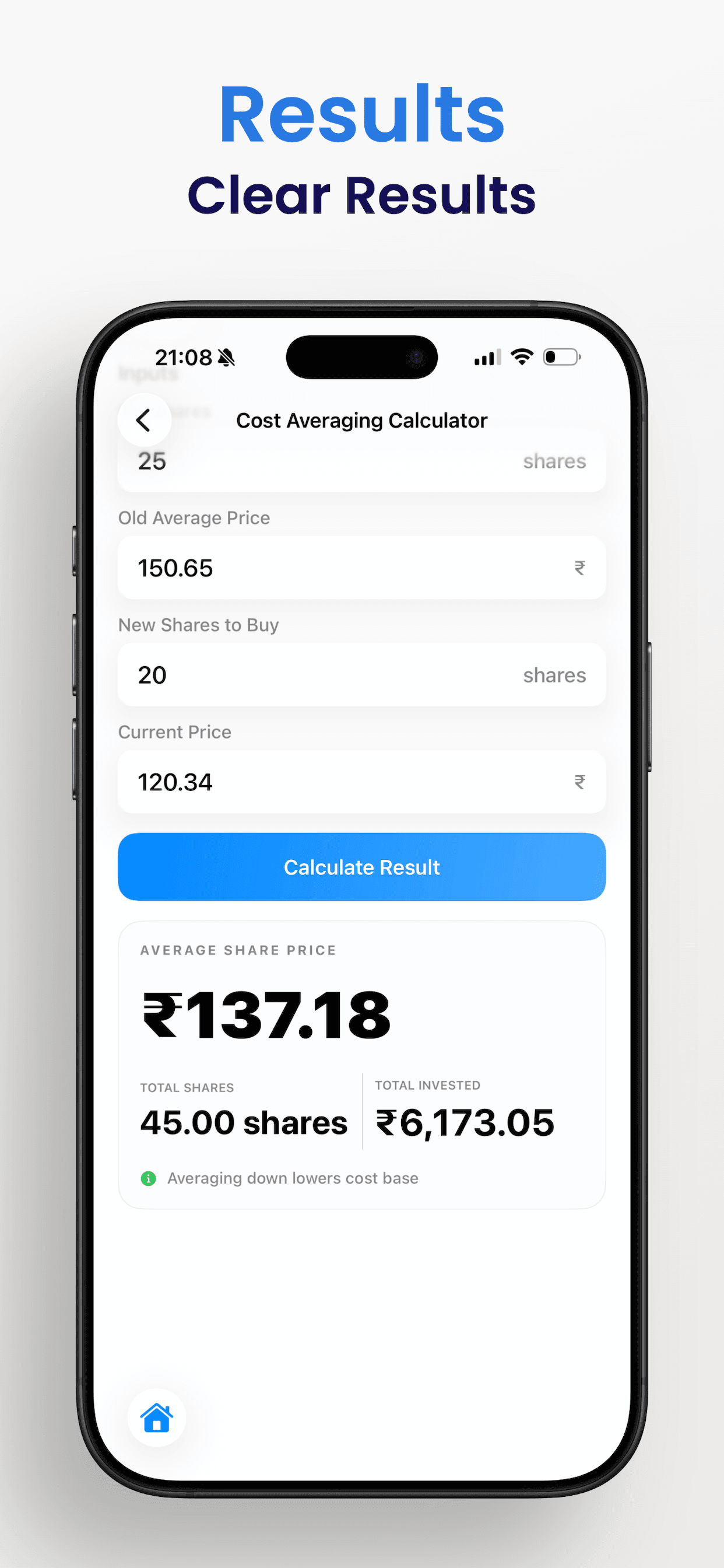
MoneyFormula gives practical finance calculators in one place for daily use. Users can run quick calculations for planning, tax, and investment decisions. Every result is presented clearly so actions are easy to understand.
App Previews
Tech Stack
Swift 6, SwiftUI, SwiftData, Google Mobile Ads (interstitial), Observation + @State/@Environment/@AppStorage, Instruments, and App Store Connect/TestFlight.
App Architecture
MoneyFormula uses a single-scene App with app-wide service injection through SwiftUI environment. Root shell is TabView (Home, History, Browse), with each tab owning its own NavigationStack flow.
@main
struct MoneyFormulaApp: App {
    @State private var adManager = AdManager()
    @State private var currencyManager = CurrencyManager()

    var body: some Scene {
        WindowGroup {
            ContentView()
                .environment(adManager)
                .environment(currencyManager)
        }
        .modelContainer(sharedModelContainer)
    }
}- Chose environment injection for speed and clarity.
- Kept business logic inside managers/engine modules to avoid implicit coupling.
Formula Discovery (Browse + Search)
Browse is built from static category metadata + formula definitions, then enhanced with in-memory search filtering using LazyVGrid and NavigationLink flow.
- Data path: AllFormulas.marketSorted(...) → section/category views.
- Local query state keeps latency near zero for small dataset size.
Calculation Engine and Results
Formula screens normalize typed inputs, run deterministic calculations, render results, then write history to persistence. Validation is field-level and user-facing.
- Flow: input strings → normalized values → engine → result model → UI + SwiftData write.
- Uses local state for transient validation/result state and model storage for persistent events.
Favorites and History
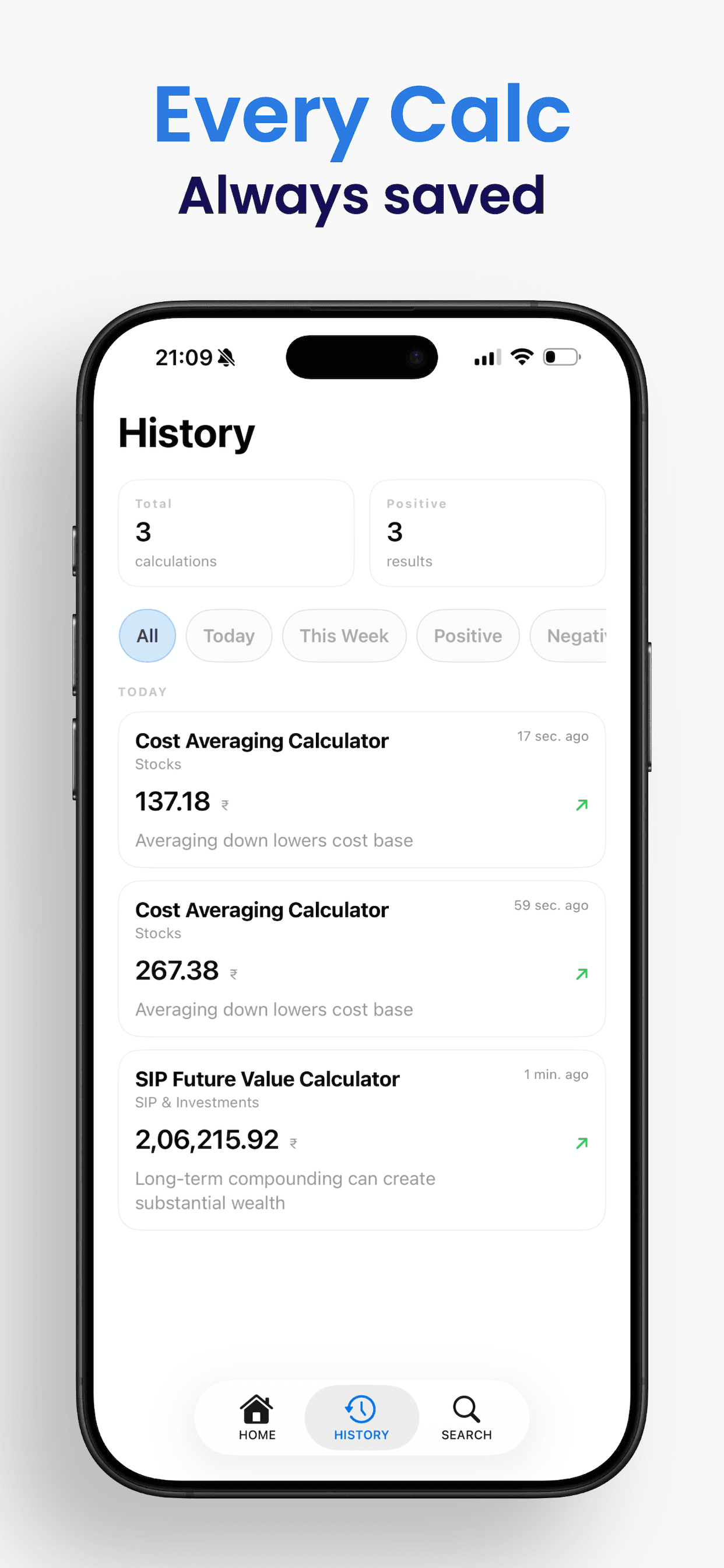
Favorites and history are local-first SwiftData features using reactive @Query. Model mutations automatically refresh list UI without manual reload plumbing.
Background Tasks and Runtime Events
Async loops and timers are used sparingly for featured-card autoplay and short deferred resets. Interstitial ad readiness is callback-driven by SDK events.
Input and Interaction Layer
Touch-first interactions use TextField, FocusState, keyboard-dismiss patterns, haptics, and press-state feedback. ATT paths were removed to reduce privacy/review complexity.
Persistence and Recovery
Persistent entities use SwiftData (history, favorites, settings). Sync is intentionally local-only in v1. Startup includes one-time store recovery fallback for corruption scenarios.
- Recovery removes broken .store / -wal / -shm trio and recreates clean container.
- Handles missing formula references after definition changes.
UI System
Reusable component layer (cards, empty states, tab visuals, glass buttons) uses semantic system colors/materials and SF Symbols for native light/dark behavior.
Performance Engineering
Main bottlenecks were view density and search/filter recomputation. Optimizations included lazy containers, stable derived collections, and reduced animation/re-render scope.
Bugs and Debugging Stories
Three major production fixes improved stability and review readiness.
struct SettingsGlassButton: View {
    let action: () -> Void

    var body: some View {
        Button(action: action) {
            Image(systemName: "gearshape.fill")
                .symbolRenderingMode(.hierarchical)
                .foregroundStyle(.primary)
                .font(.system(size: 17, weight: .medium))
                .frame(width: 36, height: 36)
        }
        .tint(.primary)
        .buttonStyle(.glass)
    }
}- Settings icon tint leak: fixed with explicit .tint(.primary) in shared settings button.
- Browse/Settings header overlap: fixed safe-area and top padding consistency.
- Privacy tracking warning: removed ATT imports/calls and plist key for non-tracking flow.
Release Engineering
Release flow is Xcode archive → TestFlight → App Store Connect. Versioning uses CFBundleShortVersionString and CFBundleVersion, with minimal entitlements and pre-release on-device ad verification.
Business and Product Constraints
The app uses free-with-ads with controlled interstitial cadence (every 5 calculations) to balance monetization with user trust. Local-first design avoids auth/sync support overhead in early versions.
Development Workflow
Work was shipped in vertical slices: feature + state + persistence + polish. Reusable UI primitives and immediate dual-theme verification reduced regressions during release hardening.
Lessons Learned
Native feel comes from semantic APIs and controlled tint/material usage. Privacy/review alignment should be treated as a release feature, and ownership boundaries in shared services matter more than architectural complexity.
© 2026 Srivatsav Karamala